
Announcements
Features added to Moftgate and features on the way.
- RMMComing soonAgent 2.61.0 or later
Attack Path Graph is coming to RMM
How far can an attacker move from one computer? Attack Path Graph will show the shortest path from any device to Domain Admin on a map.
- It links group memberships, admin rights and sessions from the last 30 days.
- It adds network-exploitable CVEs (KEV list and EPSS 0.5 or more) to the map.
- Seeing the path, your team knows which right to remove or which flaw to fix first.
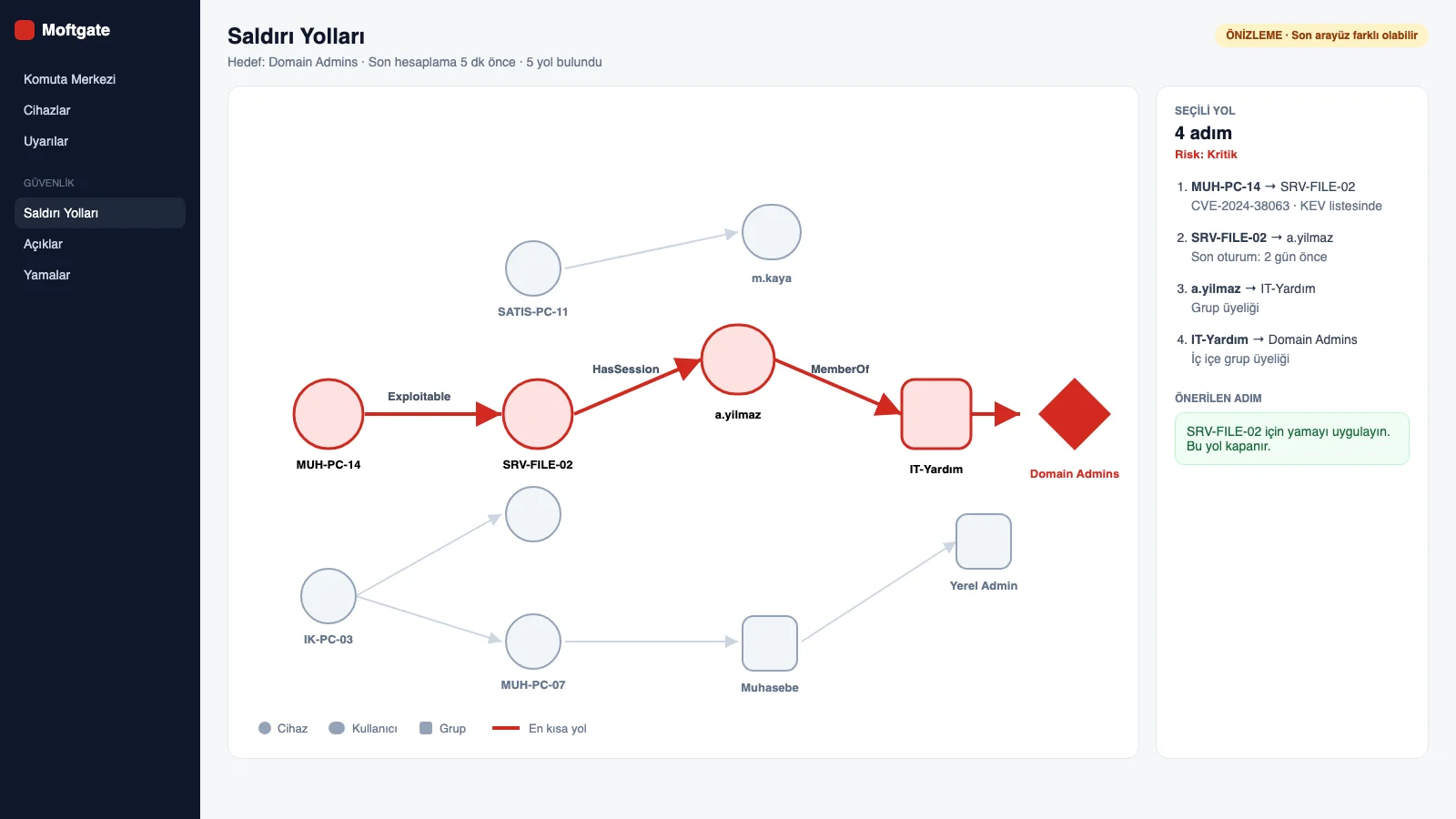
Design preview. The final interface may differ. 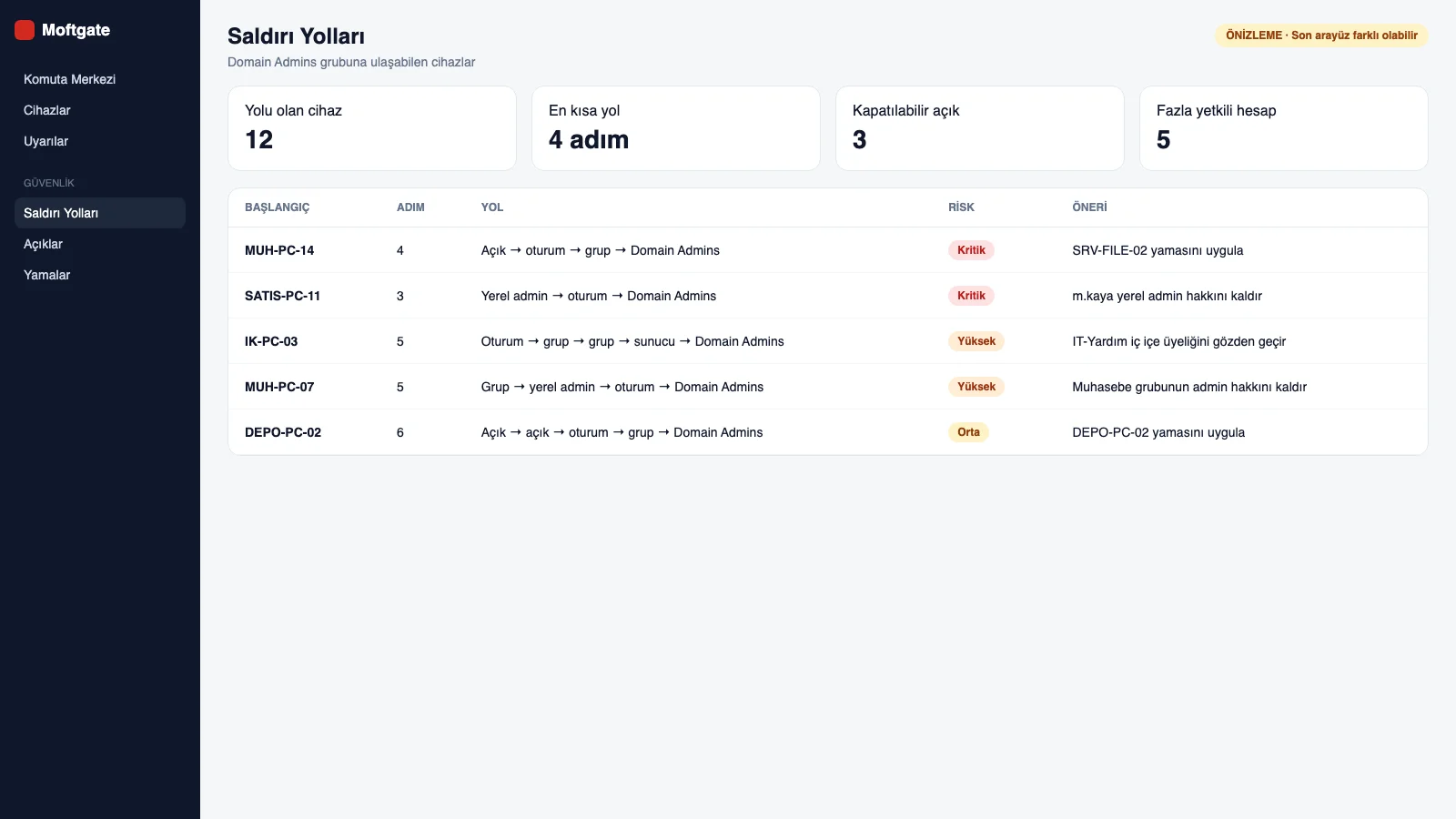
Design preview. The final interface may differ. It will live under Security → Attack Paths in the console.
- RMMComing soonVersion to be announced
Attack Path Graph will cover Entra ID and hybrid environments
Attack Path Graph will go beyond on-premises Active Directory. The map will show Entra ID users and hybrid accounts in the same graph.
- Moftgate will mark the Global Administrator and Privileged Role Administrator roles as top-tier targets.
- The cloud and on-premises identities of hybrid users will merge into one node.
- Reading roles will need the
RoleManagement.Read.Directorypermission, and the page will say so when it is missing.
Design preview. The final interface may differ. It will live under Security → Attack Paths in the console.
- RMMComing soonVersion to be announced
You will see attack paths on networks without a directory
Attack Path Graph will also work on networks without Active Directory. Moftgate will find paths to the devices you mark as critical from real sessions and admin groups.
- The map will cover Linux, macOS and Windows workgroup devices.
- The agent will collect SSH key fingerprints, and Moftgate will add key-based trust to the paths.
- You will mark a device as a Critical asset from its row menu in the device list.
Design preview. The final interface may differ. It will live under Security → Attack Paths in the console.
- RMMComing soonAgent 2.64.0 or later
Dell, HP and Lenovo BIOS updates are coming
Moftgate will find BIOS updates for the models in your fleet straight from the vendor catalogs. You will not install any vendor tool on devices.
- No BIOS update reaches a device until you approve it.
- Updates roll out ring by ring through patch policies and stop when something goes wrong.
- Each package is checked with SHA-256 and the vendor signature before install.
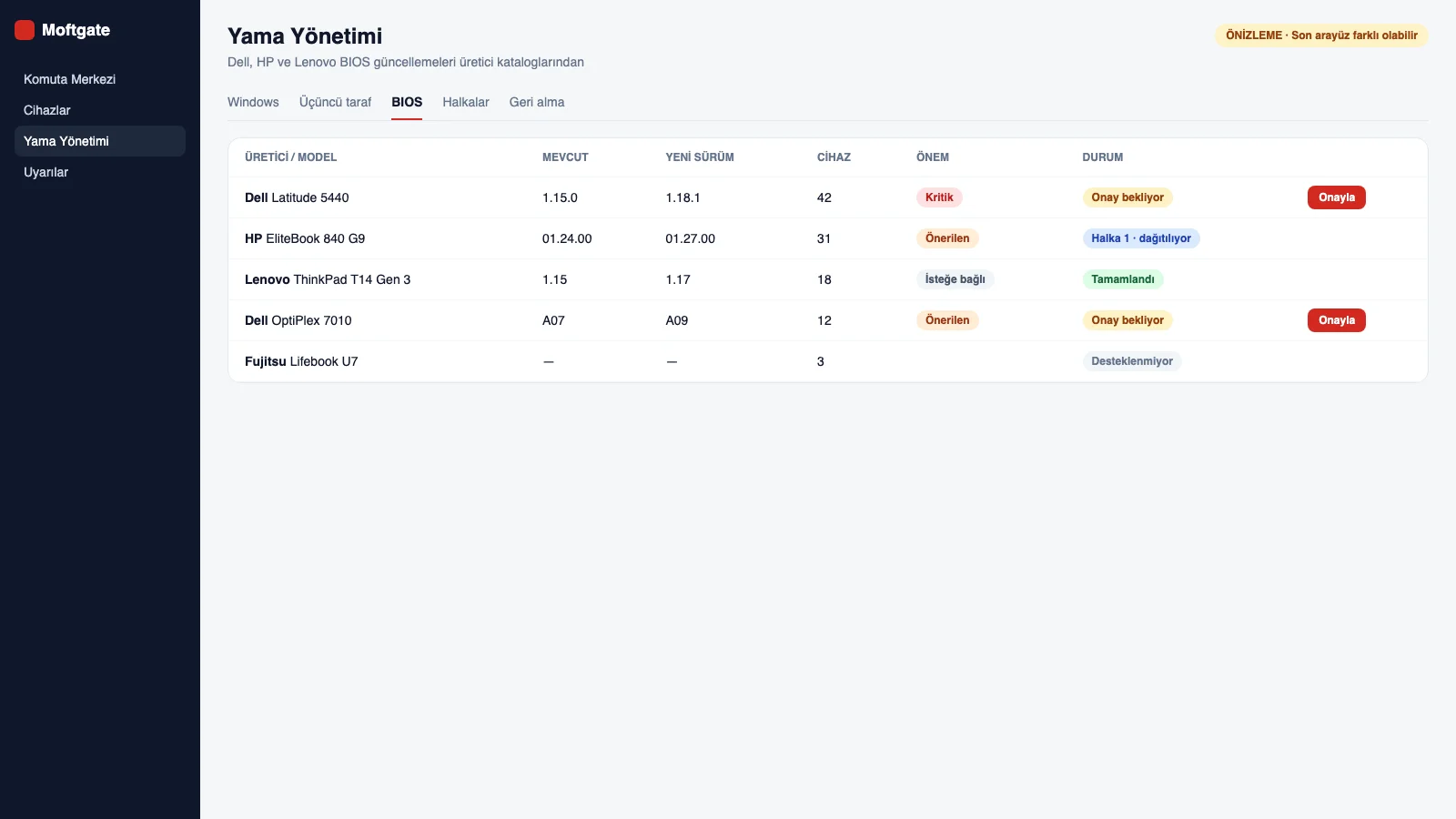
Design preview. The final interface may differ. It will live under Patch Management → BIOS in the console.
- RMMComing soonAgent 2.61.0 or later
Lost mode and remote wipe are coming
You will put a lost or stolen laptop in lost mode from the console. The device locks the session, shows your message and reports its location.
- The order waits and runs as soon as the device comes online.
- A remote wipe needs a second administrator to approve it.
- The first release supports Windows devices only.
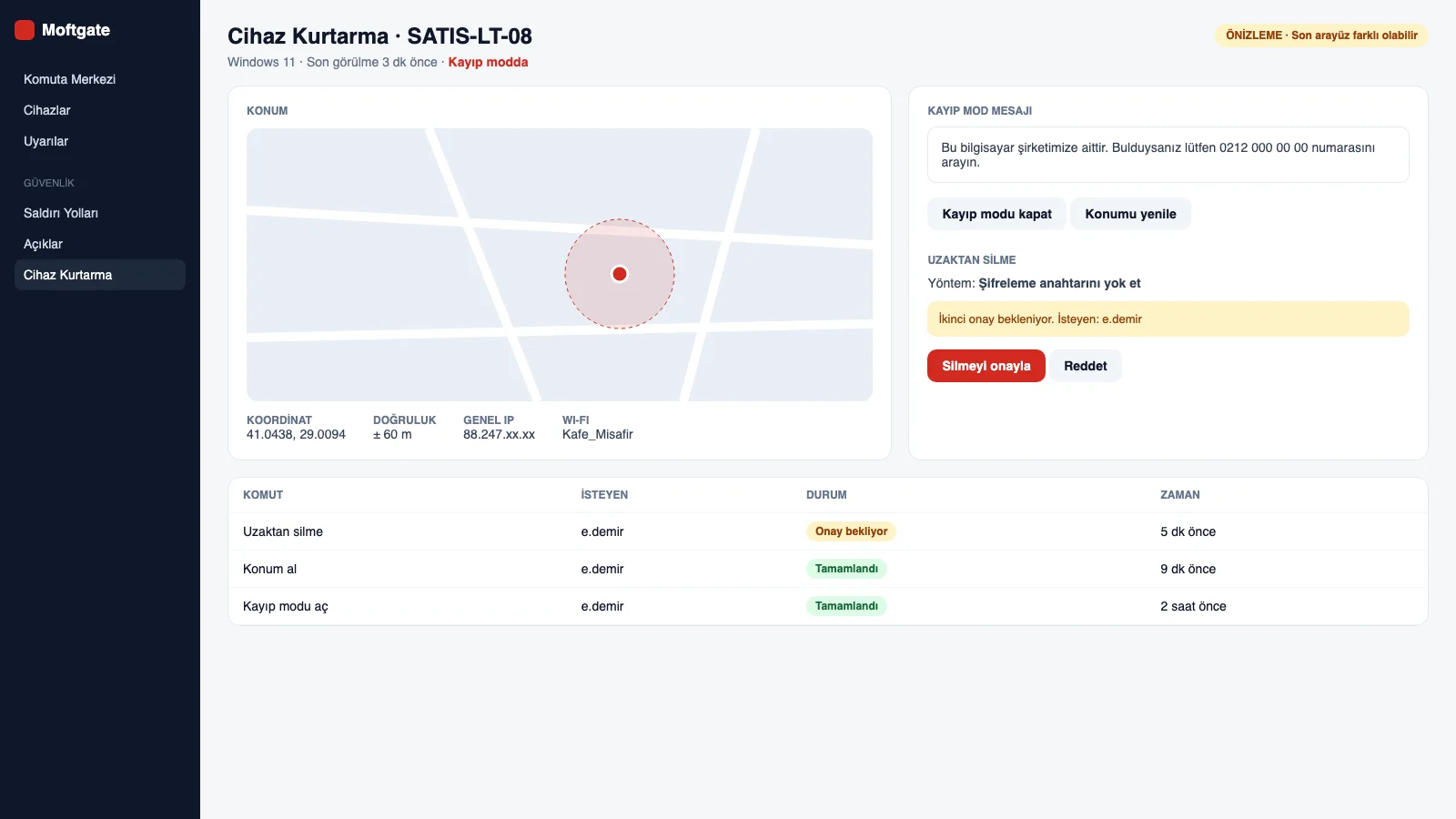
Design preview. The final interface may differ. It will live on the Device Recovery page in the console.
- RMMComing soonAgent 2.62.0 or later
Privacy mode is coming to remote desktop
While a technician works remotely, the person at the device will not see the screen. The screen goes black and the local keyboard and mouse are blocked.
- Turn it on or off with the Privacy button in the toolbar.
- It ends when the session ends, and every change goes to the audit log.
- Needs Windows 10 version 2004 or later.
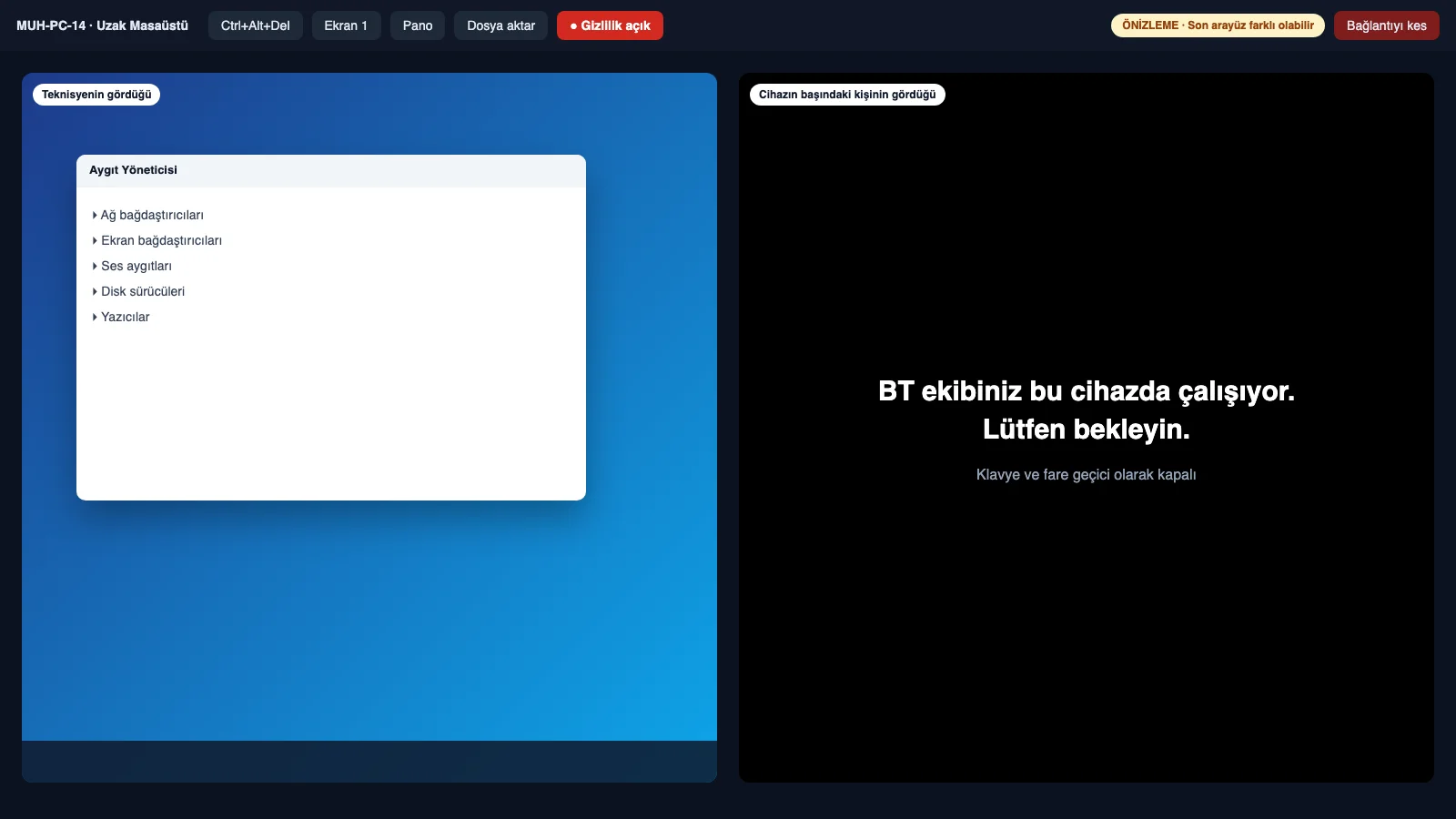
Design preview. The final interface may differ. It will live in the remote desktop session toolbar.
- ZTNAComing soonAgent 2.59.0 or later
LAN lockdown is coming to ZTNA
Even two devices on the same office network will not connect to each other without a policy. With LAN lockdown on, devices accept new connections only through the ZTNA tunnel.
- It works on Windows, macOS and Linux through the built-in host firewall.
- The agent keeps its console connection and the connections the device opens itself.
- Every change goes to the audit log.
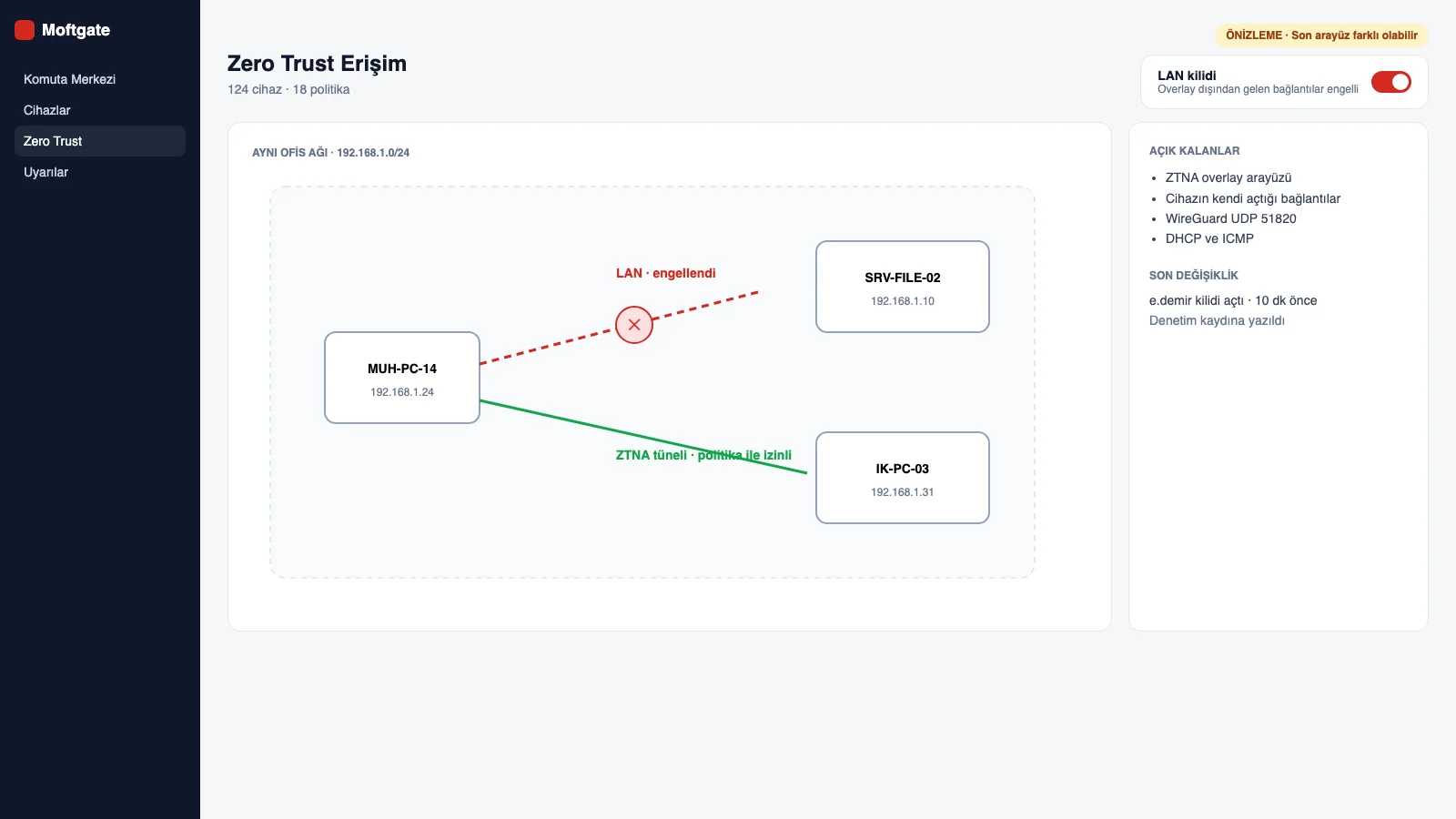
Design preview. The final interface may differ. It will be the LAN lockdown switch in the Zero Trust page header.