
Employee Productivity (Time Control)
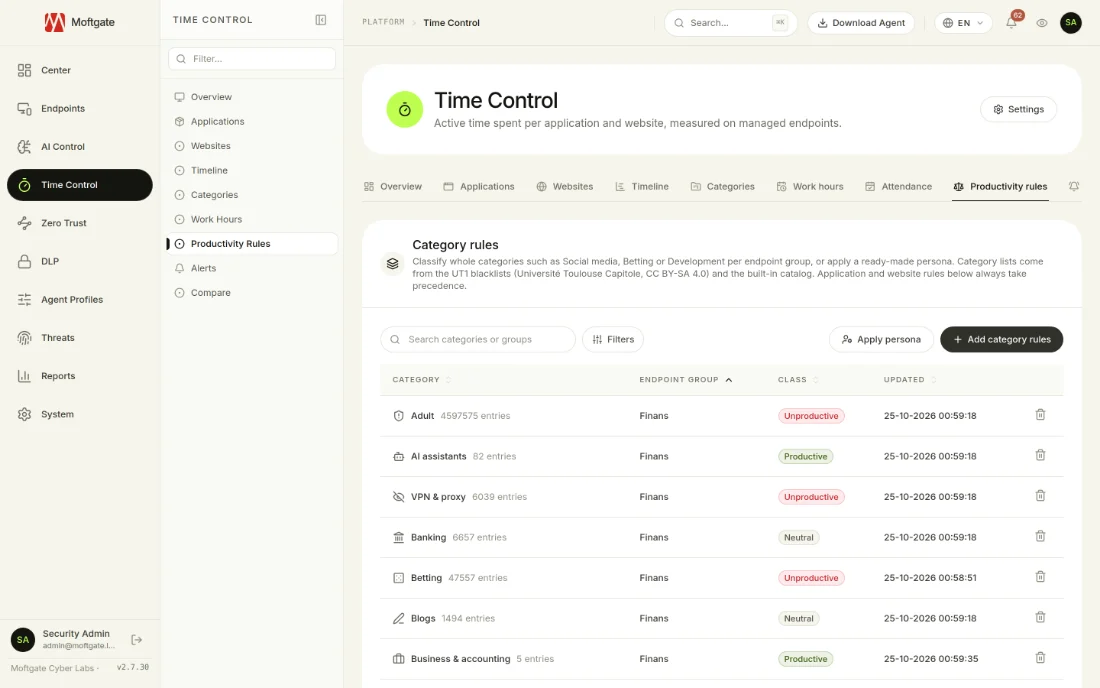
Moftgate Time Control samples the foreground application and idle time every 5 seconds on Windows, macOS and Linux devices that run the Moftgate agent. Every application and website counts as productive, neutral or unproductive according to the rules you set for each endpoint group. The result shows in one panel and in reports as a productivity score, in-hours and after-hours time, attendance and meeting time. You can show pseudonyms instead of user names to protect employee privacy.
Daily Work Report

In hybrid work, nobody can see where the time goes
Legacy management tools cause operational friction, performance degradation, and critical security blind spots.
- ✕Managers do not know which applications and websites their teams use; productivity is judged by perception.
- ✕After-hours work and burnout signals stay hidden until the problem grows.
- ✕Late arrivals and early departures are tracked by hand, or not at all.
- ✕Person-level monitoring tools often ignore employee privacy and data protection duties.
What Does Employee Productivity (Time Control) Deliver?
All capabilities operate through a single lightweight agent and central web console; no additional servers or hardware required.
Rule-based productivity classification
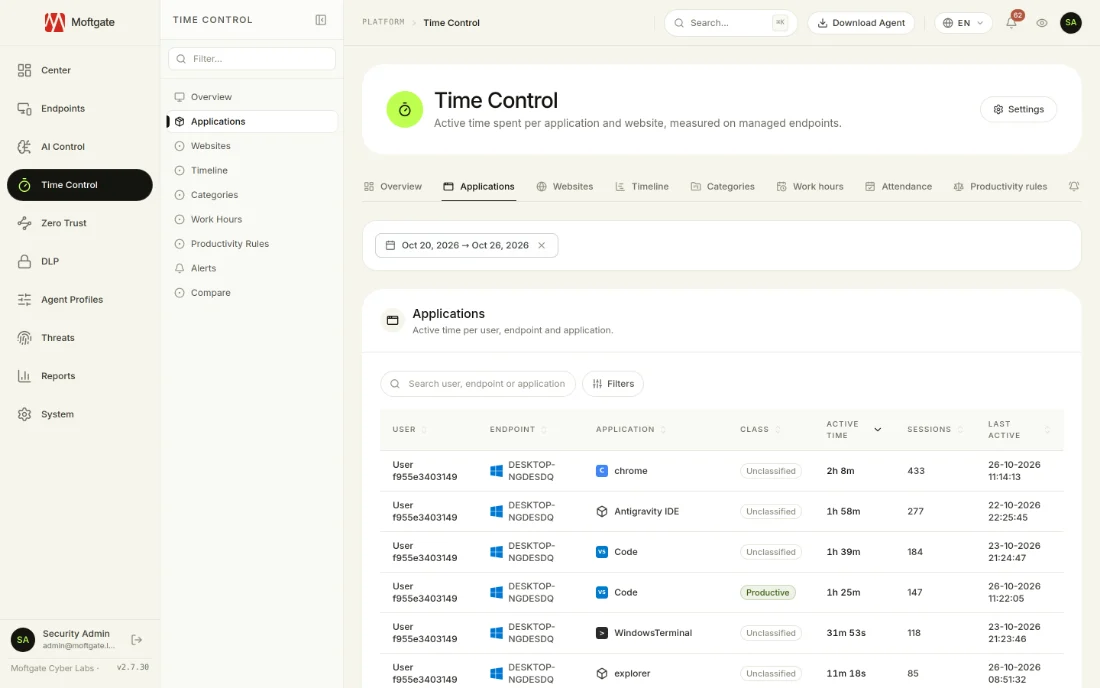
Count every use as productive, neutral or unproductive per endpoint group with application, website and category rules. When a device is in more than one group, the strictest class wins.
Ready-made catalog and 8 department personas
A catalog of global and Turkish applications and websites with 31 categories. Personas such as Developer, Sales, Finance and Support set a class for every category in one step.
Work hours and attendance
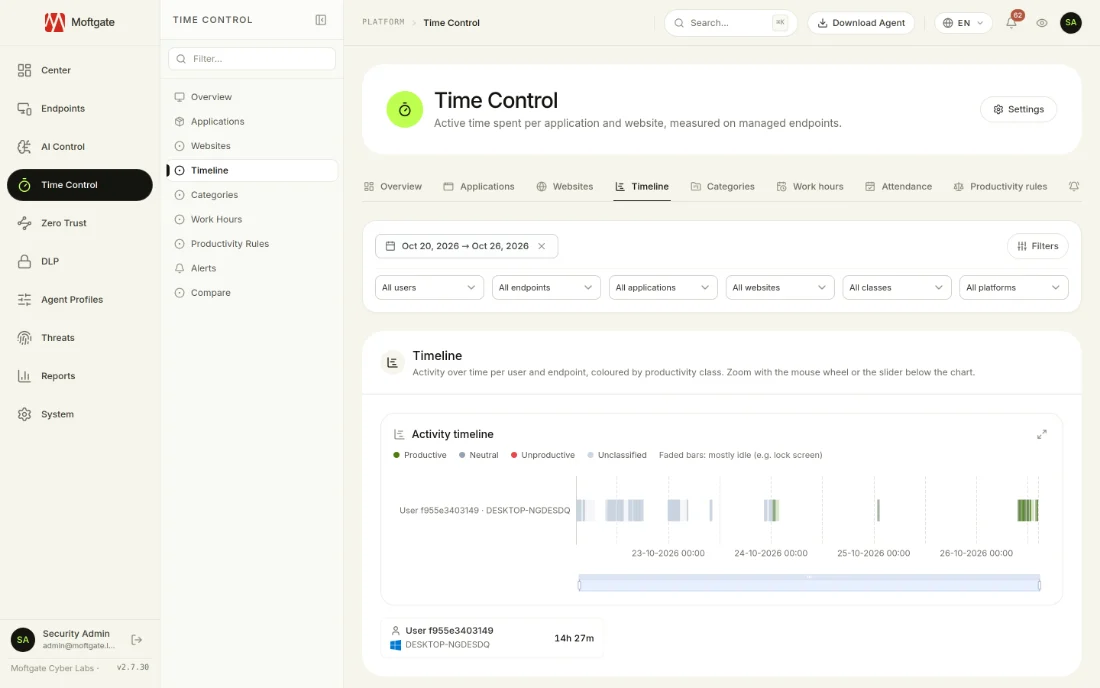
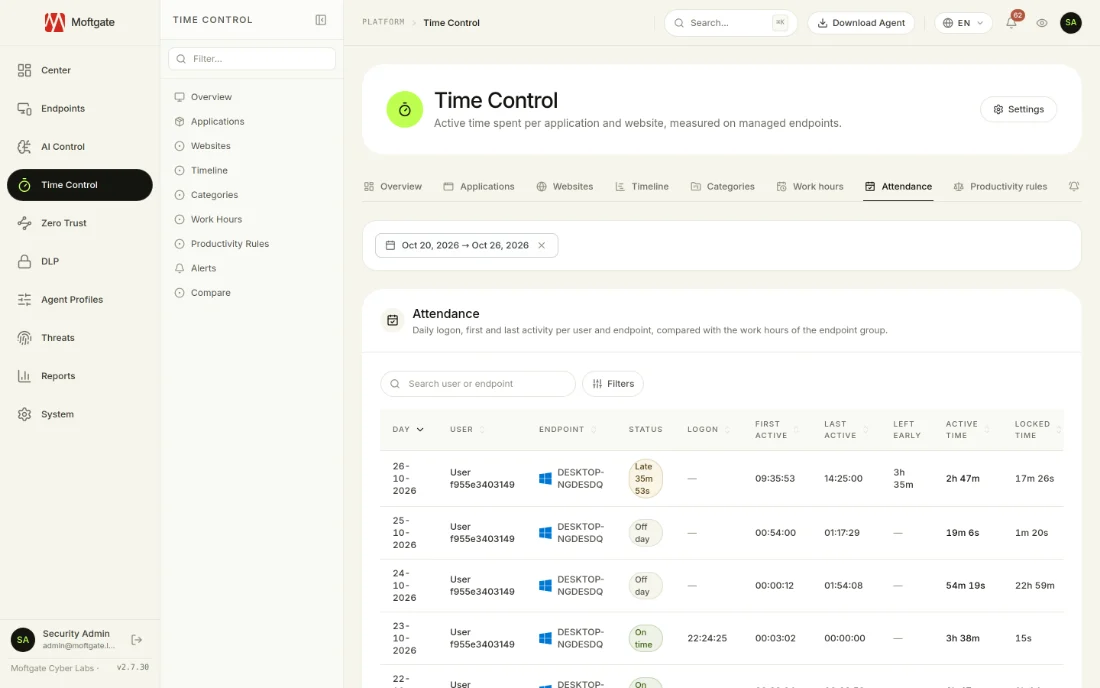
Set a work schedule for each endpoint group. In-hours and after-hours time, first and last activity, late arrivals and early departures are calculated automatically.
Timeline and comparison
See sessions per user and device on a timeline coloured by productivity class. Compare two users or two teams side by side for the same date range.
Meeting time and alerts
See foreground meeting time for Zoom, Microsoft Teams, Google Meet and Webex. Get an alert when daily unproductive or after-hours time crosses a threshold, or when the productivity score falls below one.
Privacy and transparency
Show pseudonyms instead of user names on every screen, report and email. Employees see a "This device is monitored" notification, managed per agent profile.
Deploy in Four Steps
- 1
Turn on the module
Turn on Time Control in the workspace settings and set the idle threshold and data retention.
- 2
Define the rules
Pick applications and websites from the ready-made catalog, or apply the persona that fits each department in one step.
- 3
Enter work hours
Set working days, hours and time zone for each endpoint group.
- 4
Report and improve
Follow the productivity score, the biggest time sinks and attendance in the panel; export reports as CSV, XLSX or PDF or schedule them by email.
Full Compliance with Global Standards
Protect corporate continuity, pass regulatory audits, and ensure sovereign data governance.
- ✓Judge productivity by measured usage, not perception
- ✓Spot after-hours work early and prevent burnout
- ✓Stop tracking attendance and late arrivals by hand
- ✓Measure while protecting privacy with pseudonyms and employee notice
Everything You Need to Know
Explore Integrated Security Modules
Centralized Endpoint Management
Manage all Windows, macOS, and Linux endpoints from a single unified console. Deploy software silently, automate security patches, and provide live remote support without interrupting employees.
Data Loss Prevention (DLP)
Protect customer data, financial records, and trade secrets from leaving company computers. Block unauthorized USB transfers, cloud uploads, and clipboard leaks in real time.
AI Governance & Shadow AI Control
Discover which AI tools employees use and where company data flows. Warn or block unapproved AI services and stop sensitive data from leaking into AI prompts.
Zero Trust Network Access (ZTNA)
Identity-verified, posture-checked, least-privilege secure access: protect access to private applications with granular microsegmentation.
Deploy Employee Productivity (Time Control) in Your Organization
Test all module capabilities on your private infrastructure with a 14-day enterprise trial.